
INSTRUCTION MANUAL
DNN991HD/ DNN9710BT
CONNECTED NAVIGATION SYSTEM
INSTRUCTION MANUAL
CONNECTED NAVIGATION SYSTEM
You can select different sources for both front and rear positions in the vehicle.
 ] on any screen.
Audio screen appears.
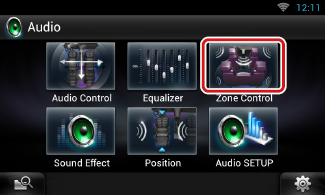
Zone Control screen appears.
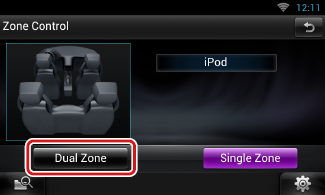
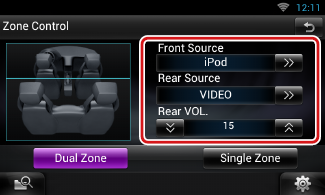
|
[D] (Front Source, Rear Source) |
|
Select the audio source for each. |
|
[S], [R] (Rear VOL.) |
|
Adjust the rear channel volume. |
|
[Single Zone] |
|
Touch to turn off the dual zone function. |
|
NOTE
|


© 2014 JVC KENWOOD Corporation