INSTRUCTION MANUAL
DNN991HD/ DNN9710BT
CONNECTED NAVIGATION SYSTEM
INSTRUCTION MANUAL
CONNECTED NAVIGATION SYSTEM
You can perform setup when using USB/SD/ iPod/ DivX/ Apps.
 ].
].Quick menu appears.
SETUP Menu screen appears.
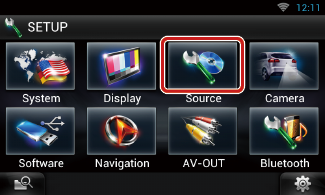
Source SETUP Menu screen appears.
Each setup screen appears.
See the following section for each setting.
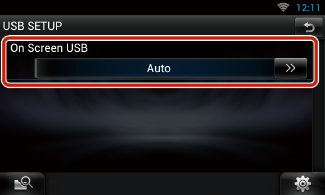
|
On Screen USB |
|
Set how information from a USB device or SD is displayed. Auto (Default): Information appears for 5 seconds when updated. OFF: Does not display any information. |
|
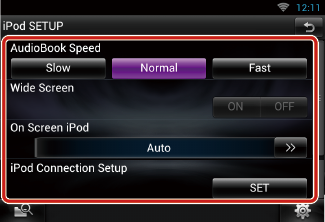
AudioBook Speed |
|
Set the audio book playback speed. Select from [Slow], [Normal] (default), and [Fast]. |
|
Wide Screen*1 |
|
Set Wide Screen. Set [ON] (default) or [OFF]. |
|
On Screen iPod |
|
Set how to display the information of the iPod. Auto (Default): Information appears for 5 seconds when updated. OFF: Does not display any information. |
|
iPod Connection Setup*2 |
|
Sets the way to connect the iPod/iPhone with this unit. |
*1 This setting is not available when an iPod is connected.
*2 This item can be set when in STANDBY source.
 ].
]. STANDBY]. ].
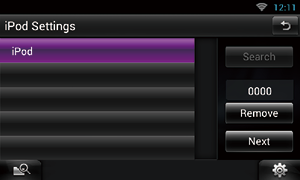
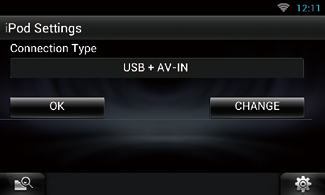
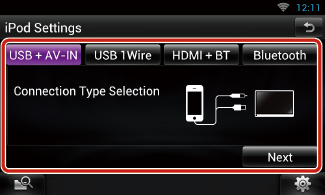
iPod connection setup screen appears.
|
USB + AV-IN |
|
Select when connecting with KCA-iP202. |
|
USB 1Wire |
|
Select when connecting with KCA-iP102 or Lightning to USB Cable. |
|
HDMI + BT |
|
Select when connecting with KCA-HD100 and Lightning Digital AV Adapter. |
|
Bluetooth |
|
Select when connecting via Bluetooth only. |
Confirmation screen appears.
|
NOTE
|
|
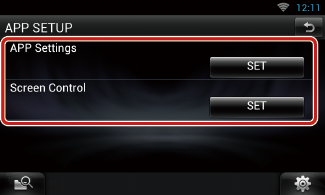
APP Settings* |
|
Makes the detailed setting of the device in which APPS are installed. |
|
Screen Adjust |
|
Touch [SET] to display the screen control screen. See Monitor Screen Setup. |
* This item can be set when in STANDBY source.
]. STANDBY]. ].
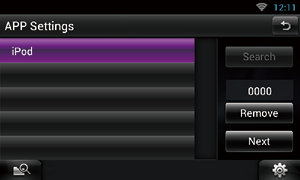
Application link setup screen appears.
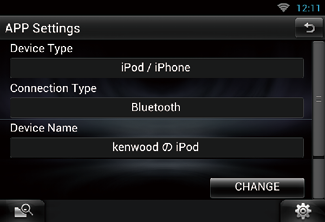
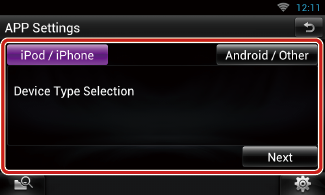
|
iPod/iPhone |
|
Select when using iPod/iPhone. |
|
Android/Other |
|
Select when using Android or BlackBerry device. |
|
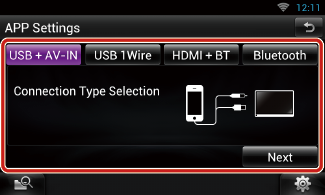
USB + AV-IN |
|
Select when connecting with KCA-iP202. |
|
USB 1Wire |
|
Select when connecting with KCA-iP102 or Lightning to USB Cable. |
|
HDMI + BT |
|
Select when connecting with KCA-HD100 and Lightning Digital AV Adapter. |
|
Bluetooth |
|
Select when connecting via Bluetooth only. |
|
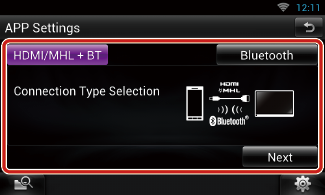
HDMI/MHL + BT |
|
Select when connecting with KCA-MH100. |
|
Bluetooth |
|
Select when connecting via Bluetooth only. |
Confirmation screen appears.
|
NOTE
|
This feature is available only for Central and South America sales area.
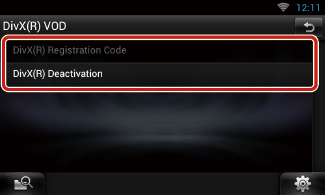
|
DivX(R) Registration Code |
|
Checks the registration code. This code is needed when making a disc which has DRM (Digital Rights Management). |
|
DivX(R) Deactivation |
|
Deregisters the unit which is already registered. After you touch the key, a confirmation message appears. Follow the message and complete the operation. |
|
NOTE
|


© 2014 JVC KENWOOD Corporation