Removing the display unit
CAUTION
- A cable connects the display unit to the main unit. Slide the display unit carefully and slowly to avoid damaging the cable.
- Removing the display unit form the main unit
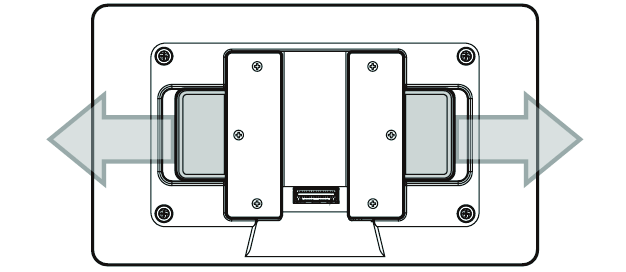
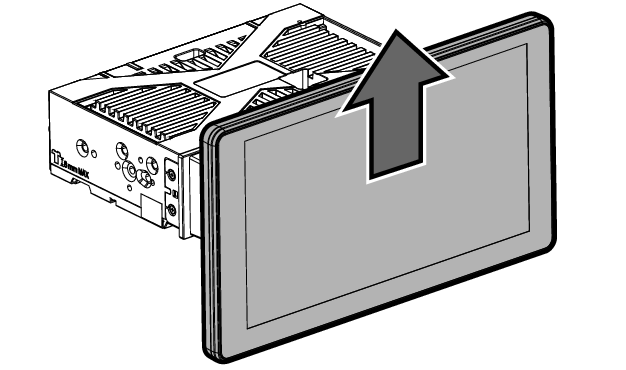
- While pulling the sliders on the back of the display unit to the side, slide the display unit up to remove it from the main unit.
- Press and hold the display cable lock and then remove the cable.