Audio Memory
Set the audio setup memory.
- Press the
 / [ATT] button.
 - Touch [DSP].
- Audio screen appears.
- Touch [Audio Memory].
- Set each parameter as follows.
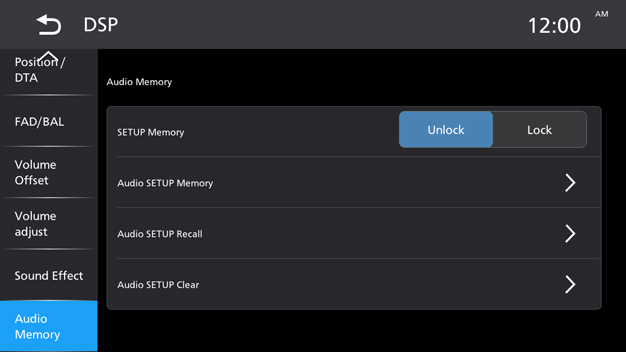
[SETUP Memory]
Lock or unlock the Audio SETUP Memory/Recall/Clear.
[Audio SETUP Memory]
Memorize the current audio settings.
[Audio SETUP Recall]
Recall the memorized audio setting.
[Audio SETUP Clear]
Clear the Audio SETUP Memory and the currently memorized audio settings.