3-way speaker system setup
Select the appropriate crossover network mode for the speaker system used (2-way or 3-way speaker system).
CAUTION
- Connecting 3-way speakers with the 2-way mode selected can break the speakers.
- Press the
 /
/  button.
 - HOME screen appears.
- Touch
 .
. - Source selection screen appears.
- Touch [STANDBY].
- Press S button followed by the
 / [ATT] button for 2 seconds at the same time.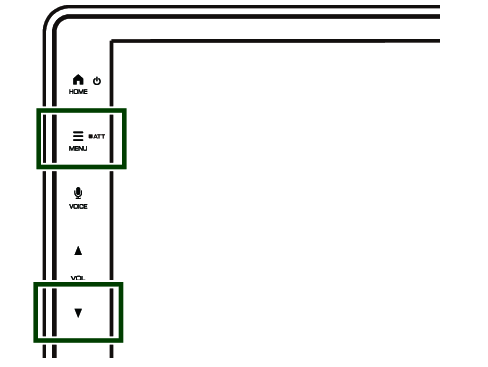
- Speaker system select screen appears.
- Select the crossover network mode.
- A confirmation screen appears.
- Touch [Yes].
NOTE
- When the 3-way speaker system is selected, the following functions are disabled.
- Fader for Fader / Balance Control
- Beep for Sound Effect
- While talking on the paired phone or using the voice recognition function, the speaker system cannot be switched.