Guidelines Setup
Touch [Guidelines Setup] in the Input setting menu to enter the reverse guidance line setting screen.
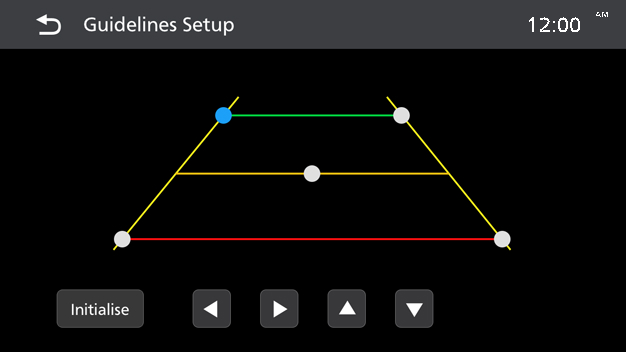
- Touch on the small dot Highlight the currently selected trajectory line.
- Touch
 key to adjust the selected Guideline.
NOTE
- [Initialise]: Touch to reset.