Sound Effect
You can set sound effects.
- Press the
 / [ATT] button.
 - Touch [DSP].
- Audio screen appears.
- Touch [Sound Effect].
- Set each parameter as follows.
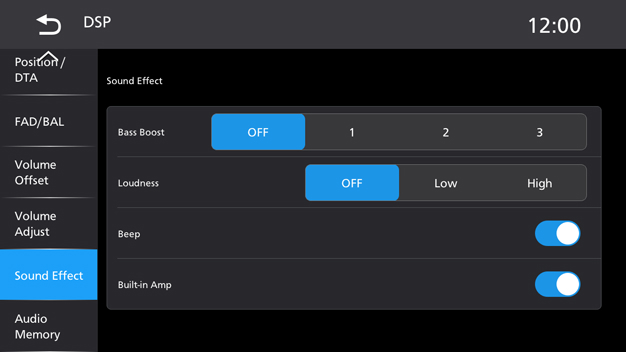
[Bass Boost]
Set the amount of bass boost “OFF”/“1”/“2”/“3”.
[Loudness]
Set the amount of boost of low and high tones.
“OFF”, “Low”, “High”
[Beep]
Touch to turn the key touch tone OFF or ON.
[Built-in Amp]
Touch to turn the Built-in amplifier OFF or ON.