Audio Setup memory
Audio Control settings can be memorized. The memorized settings can be recalled at any time.
- DMX1058XR/DMX1038S/DAX1050XR
Press the HOME button.
DAX800XR/DAX8000S
Touch at the top of the screen.
Touch HOME on the popup menu.
 - HOME screen appears.
- Touch
 .
. - Touch [Audio].
- Audio screen appears.
- Touch [Audio Memory].
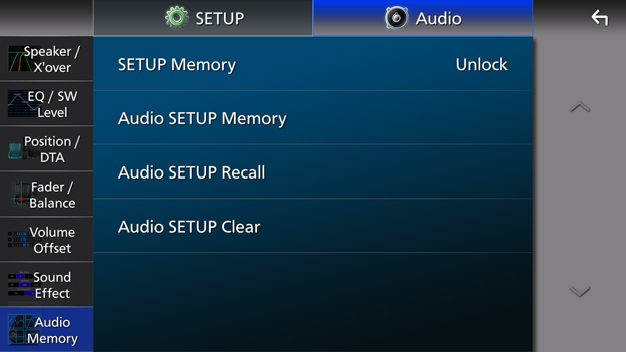
[SETUP Memory]
Lock or unlock the Audio SETUP Memory/Recall/Clear.
[Audio SETUP Memory]
Memorize the current audio settings.
Fader / Balance, Speaker / X’over, Equalizer (User Preset, SW Level), Position / DTA, Sound Effect Audio Setup
[Audio SETUP Recall]
Recall the memorized audio setting.
[Audio SETUP Clear]
Clear the Audio SETUP Memory and the currently memorized audio settings.
If the iDatalink Maestro (commercially available) is connected, the audio settings revert to the values set by the iDatalink Maestro.