Volume Offset
Finely adjust the volume of the current source to minimize the difference in volume between different sources.
- DMX1058XR/DMX1038S/DAX1050XR
Press the HOME button.
DAX800XR/DAX8000S
Touch at the top of the screen.
Touch HOME on the popup menu.
 - HOME screen appears.
- Touch
 .
. - Touch [Audio].
- Audio screen appears.
- Touch [Volume Offset].
- Touch [+] or [-] to adjust the level.
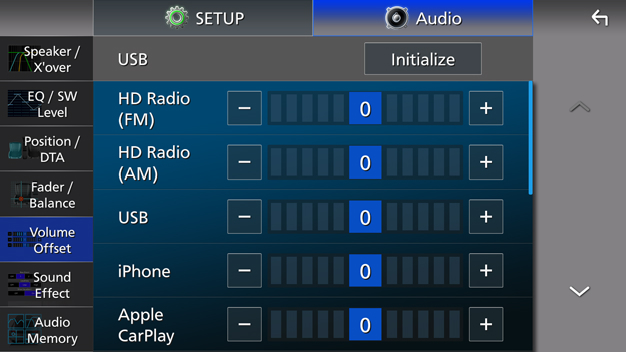
[Initialize]
Returns to the initial settings.
Touch [Initialize] and then touch [YES] on the confirmation screen.
NOTE
- If you have increased the volume first, then reduce the volume using “Volume Offset”. Switching the current source to another source suddenly may output extremely loud sound.