Change the device name or Wireless Mirroring SSID
- DMX1058XR/DMX1038S/DAX1050XR
Press the HOME button.
DAX800XR/DAX8000S
Touch at the top of the screen.
Touch HOME on the popup menu.
 - HOME screen appears.
- Touch
 .
. - Touch [SETUP].
- SETUP Menu screen appears.
- Touch [Device Name] / [Wireless Mirroring SSID].
- Change Device Name screen or Change Wireless Mirroring SSID appears.
- Input the device name or SSID.
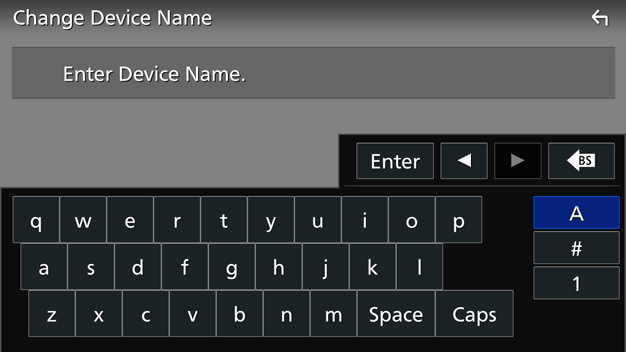
- Touch [Enter].